
Image to Video AI Girlfriend That Actually Moves From Still Photo to Living Scene
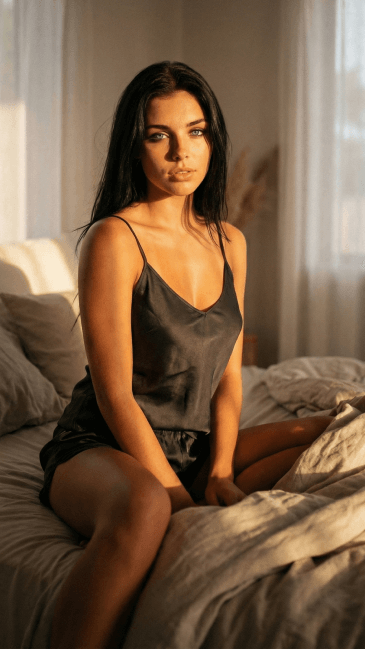
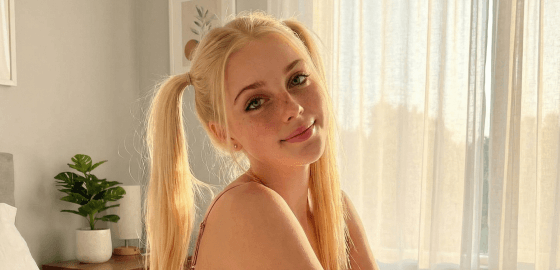
Free to try. No credit card required.
How Image to Video AI Girlfriend Works on BeCraved
Every image to video clip on BeCraved starts with a picture. That picture can be one your character already generated inside the app, or a photo you upload yourself. From there you write a short prompt describing the motion you want, drawing on the same idea used in most generative AI tools, and BeCraved animates it.
- Pick any photo from your gallery, whether it's a generated portrait or an uploaded image, and use it as the starting frame for your clip.
- Describe the camera movement and motion you want, like a slow pan or her walking closer, and the animation follows your written prompt.
- Choose a clip length of 5, 10, or 15 seconds based on how much motion the scene needs and how many credits you want to spend.
This is the core of prompt to video work on BeCraved. You're not starting from a blank prompt like with text-to-video, you're breathing motion into an image that already exists. It works the same whether you're upgrading a favorite photo or animating a fresh AI video generation result. Check out AI photo generation to create the images you'll animate next.
Photorealistic and Anime Style Motion, Side by Side
Not every character looks the same, so BeCraved doesn't force one video style onto everyone. Whether your companion is photorealistic or drawn in an anime style, the image to video AI girlfriend engine adapts the animation to match how she was generated in the first place.
- Photorealistic characters get subtle, natural movement like blinking, hair drifting, or a slight head turn that reads as real camera movement.
- Anime style companions keep their flat color and line work while still getting fluid character animation, so nothing looks out of place.
- Face consistency stays a priority in every clip, since the engine works from your source image to keep her features and expression steady across the full clip.
Video quality depends partly on the image you start with, so a clear, well-lit source photo usually animates cleaner than a blurry one. Subscribers can generate uncensored video the same way, using the same short clip lengths for NSFW scenes. Browse characters to find a style worth animating before you spend a credit.
Where Your Video Clips Live and Who Sees Them
Once a clip finishes generating from your image to video AI girlfriend session, it doesn't just disappear. Every clip you make gets saved so you can watch it again, compare it to an earlier version, or decide if a different prompt might work better.
- Your gallery keeps a running history of every video clip, so you can rewatch a favorite without spending credits to generate it twice.
- Privacy matters here, and BeCraved keeps your uploaded photos and generated clips tied to your account rather than posting them publicly, similar to how any careful platform should handle online privacy.
- Sharing is up to you. If you want to save or send a clip outside the app, that decision stays with you, not with BeCraved.
Whether you're building a slow-burn scene with text-to-video prompts or animating a photo you already love, your clips stay organized in one place. That matters more once you're generating regularly, since a messy gallery makes it hard to find the clip you actually wanted. Head to AI girlfriend chat to start the conversation that leads to your first photo and clip.

Written by
Marcus Williams
Marcus Williams writes about AI companion apps for BeCraved, with a particular interest in privacy, safety, and what these platforms do with your data.
Last updated 2026-07-01
Meet Someone New
AI companionsEverything You Get
Available nowImage to Video Animation
Turn any photo, generated or uploaded, into a moving clip using BeCraved's image to video mode and a short written prompt.
Text to Video Scenes
Skip the photo entirely and describe a scene in words instead. BeCraved builds a short clip from scratch based on your prompt.
Photorealistic and Anime Styles
Animate any character style, from realistic portraits to anime companions, while keeping her face and features consistent across the clip.
Private by Default
Your source photos and finished clips stay tied to your account rather than shared publicly, so what you generate stays yours to decide about.
Frequently Asked Questions
5 questionsExplore More
AI Photo Generation
Generate the images you'll later turn into moving video clips.
AI Girlfriend Chat
Start the conversation that leads to your first photo and animated clip.
Create Your AI Girlfriend
Build a character from scratch before generating her first video clip.
AI Voice Call
Hear your companion's voice alongside her photos and video clips.
AI Girlfriend Video Generator
Learn about this feature
AI Video Girlfriend
Learn about this feature
AI Girlfriend Video Maker
Learn about this feature
Create AI Girlfriend Video
Learn about this feature
Photo to Video AI
Learn about this feature
See Your AI Girlfriend Move, Not Just Pose
Start chatting free and build a character worth animating. Upgrade whenever you're ready to turn her photos into short video clips.
Try Free