
Photo to Video AI for Your Companion Bring Her Photo to Life
Free to try. No credit card required.
How Photo to Video AI Works on BeCraved
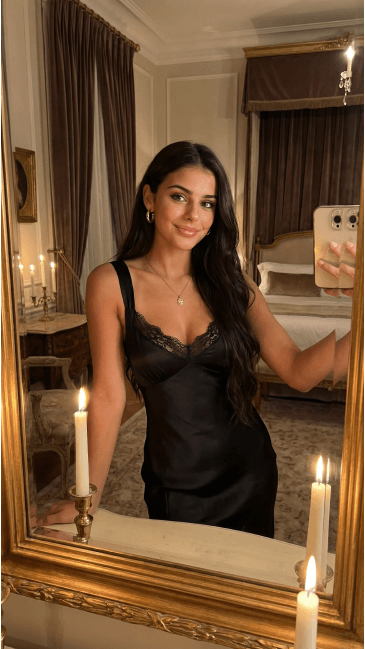
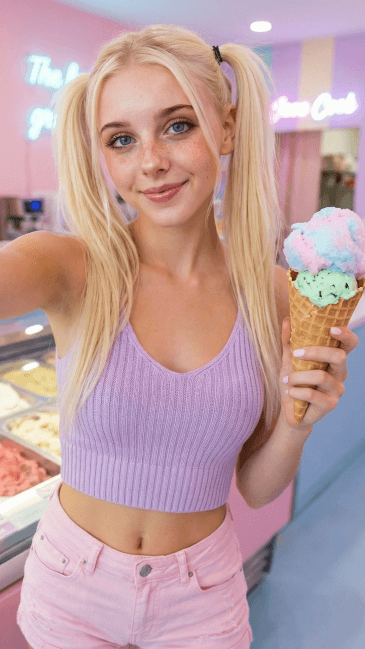
Every video starts with an idea. On BeCraved you can type a description of the scene you want, or upload a photo, including one your character already sent you, and watch it turn into motion. This is AI video generation focused entirely on your character, not generic stock scenes.
- Pick image-to-video and BeCraved treats your uploaded photo as the starting frame, then generates 5, 10, or 15 seconds of movement from it.
- Pick text-to-video, essentially prompt to video, and describe the scene in plain words like 'she waves from the kitchen doorway,' and the AI builds the clip from that.
- You choose the clip length before you generate, 5, 10, or 15 seconds, so you know exactly what you're paying credits for ahead of time.
- The same character model that powers your chats and photos also powers the video, so her face and outfit carry over instead of resetting.
Most photo to video ai tools force you to pick one method and stick with it. BeCraved lets you switch between text and image input depending on what you already have on hand. If you generated a photo first through AI photo generation, turning it into a clip is just one more step, not a whole new project.
Realistic Motion and Character Consistency
A moving clip only works if it looks like the same person from frame to frame. BeCraved focuses on keeping your character's face, hair, and outfit steady across the whole clip instead of morphing halfway through, which is where a lot of quick video generators fall apart.
- Camera movement options let a clip feel like a slow pan or a steady shot instead of static footage bolted onto a photo.
- Photorealistic rendering aims for skin texture and lighting that hold up, not the waxy look you get from older animation filters.
- Video quality holds up at the resolution BeCraved renders by default, so clips look crisp without you tweaking settings before generating.
- Character consistency means the same woman you've been chatting with for weeks shows up in the video, not a generic stand-in.
Short clips rendered well tend to look more convincing than long ones rendered poorly, and that's the tradeoff BeCraved makes on purpose. If you want a character whose look stays consistent across chat, photos, and AI character video, start with creating your AI girlfriend first.
NSFW Video, Downloads, and Credit Cost
Not every photo to video ai tool lets adult content through, and most mainstream apps block it outright. BeCraved allows uncensored video for subscribers, alongside SFW scenes, so the same tool works whether you want something playful or something more explicit.
- NSFW video generation works the same way as SFW: describe the scene or use a photo, then let the AI animate it. Credits apply either way.
- Every clip costs credits, the same currency used for photos and voice calls, so you always know the cost before you commit to generating.
- Clips are yours to download once generated, so you're not stuck viewing them only inside the app.
- Once downloaded, sharing the clip is entirely up to you. BeCraved doesn't post anything anywhere on its own, and your videos stay tied to your account.
Video generation is a paid feature that draws from your credit balance, the same one that covers photos and voice calls, so it's worth checking your credit total before you queue up a session. If you haven't subscribed yet, explore what an AI girlfriend plan unlocks beyond the free tier.

Written by
Jordan Taylor
Jordan Taylor writes about AI companions and modern relationships for BeCraved.
Last updated 2026-07-01
Meet Someone New
AI companionsEverything You Get
Available nowImage-to-Video
Upload a photo of your character and BeCraved turns it into a 5, 10, or 15 second moving clip instead of a static image.
Text-to-Video Prompts
No photo yet? Describe the scene you want in plain words and BeCraved builds the clip from that description alone.
Private by Default
Your generated clips stay tied to your account. Nothing gets posted publicly and downloading is entirely your choice.
SFW and NSFW Support
Subscribers can generate both everyday scenes and uncensored NSFW video clips using the same photo to video ai tool.
Frequently Asked Questions
5 questionsExplore More
AI Photo Generation
Generate a photo of your character first, then turn it into a moving clip.
Create Your AI Girlfriend
Build a character with a consistent look across chat, photos, and video.
AI Voice Calls
Hear your character's voice with paid voice calls, another credit-based feature.
AI Girlfriend
See what a full BeCraved subscription unlocks beyond the free tier.
Image to Video AI Girlfriend
Learn about this feature
AI Girlfriend Video Generator
Learn about this feature
AI Video Girlfriend
Learn about this feature
AI Girlfriend Video Maker
Learn about this feature
NSFW AI Video Generator
Learn about this feature
Turn Her Photo Into a Video Right Now
Sign up free to explore BeCraved, then upgrade to unlock photo to video ai, unlimited messages, and memory.
Try Free