
Your AI Video Girlfriend, Brought to Life Short Clips, Real Connection
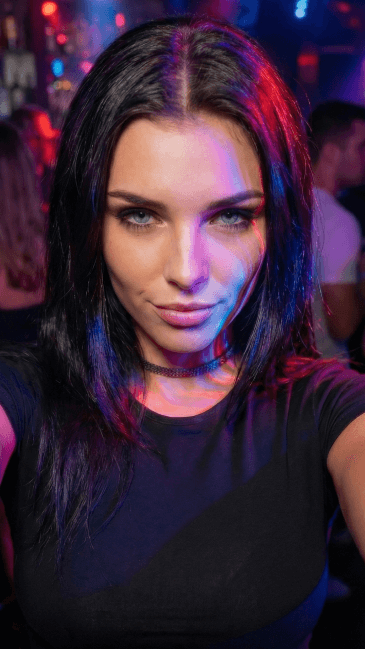
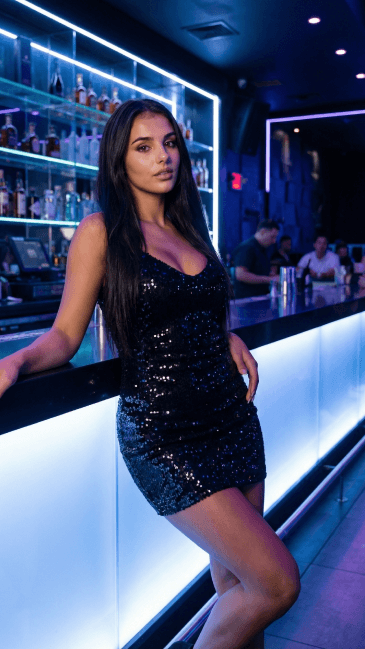
Free to try. No credit card required.
How Your AI Video Girlfriend Comes to Life
Every ai video girlfriend clip on BeCraved starts with a choice: type it out or upload a photo. Both paths lead to the same place, a short video of your character doing exactly what you pictured. Here's what actually happens behind the scenes.
- Text-to-video reads your description and animates your character based on it, using text-to-video generation to add camera movement and realistic motion so the scene doesn't feel stiff.
- Image-to-video takes a photo, either one you uploaded or one BeCraved generated earlier, and turns it into a moving clip while keeping face consistency intact.
- Every clip renders in 5, 10, or 15 seconds only, short enough to feel like a quick moment you'd actually catch on someone's phone.
- Video generation costs credits, the same currency used for photos and voice calls, so you know the credit cost before you commit to a clip.
Whether you're starting from scratch with words or animating a photo you already love, the process stays simple. If you haven't set up your character yet, check out how to create your AI girlfriend first, then come back to bring her into motion.
Video Quality, Style, and What You Can Actually Create
Not every clip needs to look the same. BeCraved supports different looks and moods, from softer realistic motion to anime style, depending on how you describe the scene or the image you start from.
- Camera movement adds depth, a slow pan or a subtle zoom can make a 10 second clip feel like a real moment instead of a static loop.
- Face consistency matters most in image-to-video, since your character's look carries over from the photo into the moving clip without drifting into someone else's face.
- Anime style works well for stylized characters, while more grounded, detailed descriptions tend to produce clips that lean toward realistic motion instead.
- NSFW video is available for subscribers who want uncensored scenes, using the same short clip lengths and the same credit-based system as SFW clips.
Video quality depends a lot on how specific your prompt is or how clear your source photo looks going in. Explore AI photo generation to build a strong base image before you animate it into a clip of your own.
Sharing, Credit Cost, and What This Feature Isn't
Once your clip is done, it's yours to keep and share wherever you want, group chats, your camera roll, wherever. Interest in generative AI tools like this keeps growing, but it helps to understand the two things that shape every clip: credit cost and clip length.
- Video clips cost credits per generation, and a longer 15 second clip typically uses more credits than a quick 5 second one.
- There's no free tier for video generation, it's a paid feature like voice calls and photo generation, so you'll need credits in your account first.
- Clips top out at 15 seconds by design, this isn't a movie maker, it's built for short, specific moments you watch and replay.
- Sharing a clip is as simple as saving it, no watermark headaches or complicated export steps standing between you and the file.
Think of video credits the way you'd think of texting credits, small spends for small moments that add up to something memorable. If you want to test the waters first, start chatting free and get a feel for your character before spending on video.
Written by
Sophia Martinez
Sophia Martinez writes about the emotional side of AI companionship for BeCraved — connection, relationships, and what it really feels like to talk to an AI.
Last updated 2026-07-01
Meet Someone New
AI companionsEverything You Get
Available nowText-to-Video Clips
Describe any scene and BeCraved animates your character into a short 5, 10, or 15 second clip based on your words.
Image-to-Video Animation
Bring an existing photo or generated image to life as a moving clip while keeping her look consistent throughout.
Multiple Styles
From anime style to more realistic motion, the look of your clip follows your prompt or the source image you choose.
NSFW Video for Subscribers
Uncensored video clips are available to paid subscribers, using the same short clip lengths as SFW scenes.
Frequently Asked Questions
5 questionsExplore More
Create Your AI Girlfriend
Build the character you'll eventually turn into video clips.
AI Photo Generation
Generate a base photo you can animate with image-to-video.
AI Girlfriend Chat
Start free conversations before you spend credits on video.
Browse Characters
Explore existing characters you can chat with and animate.
AI Girlfriend Video Generator
Learn about this feature
AI Girlfriend Video Maker
Learn about this feature
Image to Video AI Girlfriend
Learn about this feature
Create AI Girlfriend Video
Learn about this feature
NSFW AI Video Generator
Learn about this feature
Ready to Meet Your AI Video Girlfriend?
Sign up free, chat with no credit card required, and create your first video clip when you're ready.
Try Free