
Create AI Girlfriend Video Clips in Seconds Bring Her to Life
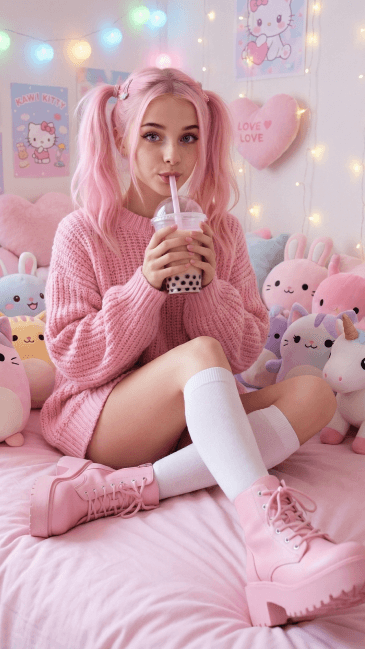

Free to try. No credit card required.
How to Create an AI Girlfriend Video on BeCraved
Making a video of your AI girlfriend on BeCraved starts with a choice: write it or animate it. You can type a scene straight from your imagination, or take a photo you already generated and turn it into motion. Both paths lead to the same place, a short clip of your character that actually moves instead of sitting still.
- Text-to-video lets you describe a scene in plain words, like her curled up reading by a window, and BeCraved renders it as a moving clip.
- Image-to-video lets you animate a photo you've already made, adding motion for realistic character animation, so she blinks, turns her head, or smiles.
- You choose the clip length before you generate: 5, 10, or 15 seconds, depending on how much scene you need to tell the moment.
- Generation speed stays quick since rendering happens in the background while you keep chatting, so you're not stuck waiting on your prompt to video.
Whether you lean on text-to-video or image-to-video, the process stays simple: describe or pick, then wait a short moment for your clip. This kind of text-to-video model technology is still fairly new across the industry, and BeCraved builds it right into your chat. If you haven't built out your character's look yet, start with creating your AI girlfriend first so the video has a face and personality to bring to life.
What Makes the Motion Look Real
When you create an AI girlfriend video, the motion inside it is what makes or breaks it. Shaky faces or a character who looks like a different person from clip to clip ruins the whole point. BeCraved focuses on keeping your character recognizable, so her face stays consistent, and on making the movement feel like something you'd actually watch twice instead of once.
- Face consistency means the same character you've been chatting with shows up in the clip, not a stranger who happens to share her hair color.
- Camera movement adds a slow pan or a subtle zoom, so a clip doesn't feel like a photo that just twitches in place.
- Gentle motion follows what's happening in the scene, whether she's laughing at something you said or whispering in a private NSFW clip.
- Resolution is tuned to look sharp on a phone screen, since that's where most people actually watch these clips.
None of this replaces a full video production studio, and it's not trying to. These are short, animated clips built to feel like a real moment with your character. For a deeper look at how the visuals behind these clips get generated in the first place, read up on generative AI, or check out AI photo generation on BeCraved.
Credits, Your Gallery, and Keeping Things Private
Every video you generate costs credits, the same currency you already use for photos and voice calls on BeCraved. The cost depends on how long you make the clip, so a 5 second video costs less than a 15 second one. Once it's done, it lands in your gallery where you can watch it again anytime.
- Credit cost scales with clip length, meaning shorter 5 second clips are cheaper than the full 15 second option.
- Your gallery keeps every clip you've made in one place, so you can scroll back through past scenes instead of losing track of them.
- Download lets you save a clip straight to your device, and from there sharing it however you like is entirely up to you.
- Privacy matters here: your generated clips stay tied to your account and aren't posted anywhere publicly by BeCraved.
If privacy is a concern, it's worth understanding digital privacy basics generally, alongside how BeCraved handles your account. Video generation isn't free, and we'd rather be upfront about that than promise something we can't deliver. If you want to see what a subscription actually unlocks beyond video, from unlimited messages to memory, take a look at AI girlfriend chat.

Written by
Marcus Williams
Marcus Williams writes about AI companion apps for BeCraved, with a particular interest in privacy, safety, and what these platforms do with your data.
Last updated 2026-07-01
Meet Someone New
AI companionsEverything You Get
Available nowText-to-Video
Describe any scene in your own words and BeCraved turns it into a short animated clip of your character.
Image-to-Video
Take a photo you've already generated and bring it to life with blinking, head turns, and small gestures.
Private Clips
Your generated videos stay tied to your account. Nothing gets posted publicly without you choosing to share it.
Consistent Character
Face consistency keeps the same character showing up across every clip you generate, chat after chat.
Frequently Asked Questions
5 questionsExplore More
Create Your AI Girlfriend
Design her look and personality before you generate her first video.
AI Photo Generation
See how the images that fuel image-to-video clips get made.
AI Girlfriend Chat
Chat with memory and unlimited messages when you upgrade beyond the free tier.
Browse Characters
Find a character to animate before you create your first clip.
AI Girlfriend Video Generator
Learn about this feature
AI Video Girlfriend
Learn about this feature
AI Girlfriend Video Maker
Learn about this feature
Image to Video AI Girlfriend
Learn about this feature
NSFW AI Video Generator
Learn about this feature
Ready to Create Your AI Girlfriend Video?
Sign up free, chat with your character, then upgrade to generate video clips whenever you want to see her in motion.
Try Free