
An AI Character Video Generator Built for You Watch Your Character Move
Free to try. No credit card required.
How BeCraved's AI Character Video Generator Works
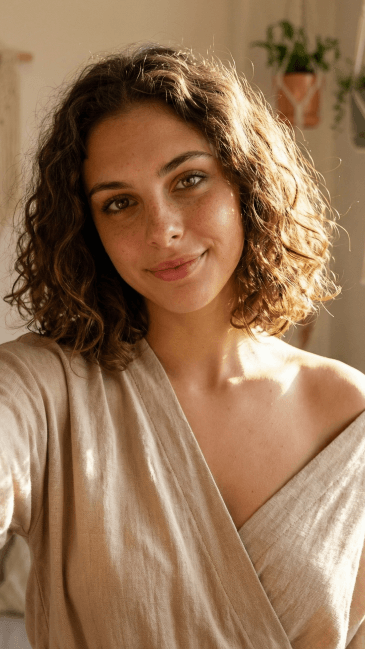
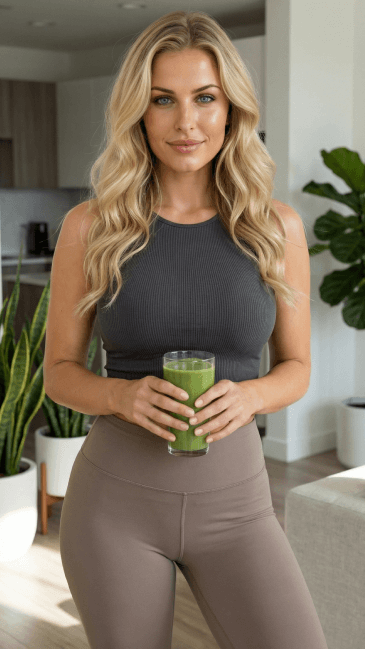
Most apps hand you a chatbot and stop there. BeCraved goes further with an ai character video generator that takes what's already in your head, or already on your screen, and turns it into motion using text-to-video technology. There are two ways in, and both take just a minute or two to set up.
- Text-to-video lets you type a scene description, like 'she's sitting by a window at sunset, wind moving her hair,' and BeCraved animates it from scratch.
- Image-to-video takes a photo you already generated, or one already saved to your gallery, and adds realistic motion like a head turn or a slow smile.
- Every clip runs 5, 10, or 15 seconds, short enough to feel like a quick moment rather than a full scene, and generation speed is quick enough that you're not stuck waiting around.
Whichever mode you pick, the process stays inside the same chat window you're already using, so there's no separate app or export step to deal with. It's built to feel like a natural extension of talking to her, not a side tool bolted on. If you haven't built your own character yet, start with how to create your AI girlfriend first.
Turning a Photo Into a Moving Scene
Sometimes you don't want to describe a scene, you want to animate one you already have. Say you generated a photorealistic image of your character in a red dress, or an anime style portrait with a specific pose. BeCraved's image-to-video mode picks up right where that photo left off.
- The system adds subtle motion, like a slight camera movement, a breath, or gentle motion when she's in the scene, so the clip feels alive instead of static.
- Realistic motion works for photorealistic styles and anime style characters alike, so the look you built stays consistent from photo to clip.
- You can animate a photo you made minutes ago or one pulled from your gallery, no need to write a new scene description from scratch.
This is the part most apps skip entirely. They'll generate you a picture and call it done, leaving you to imagine the rest. Behind the scenes, this relies on the same kind of diffusion model research powering most modern image generation, applied frame by frame. BeCraved treats the image as a starting point, not an end point, which is why AI photo generation pairs naturally with the video tool.
Credit Cost, Privacy, and What Happens to Your Clips
Video generation isn't free, and BeCraved doesn't pretend otherwise. Every clip you make, whether it's a sweet daily moment or an uncensored NSFW video for subscribers, costs credits, the same currency used for photos and voice calls. Apps like this have grown fast, following the same wave of interest behind AI companion apps generally. Here's what that actually looks like day to day.
- Credit cost depends on clip length, so a 5 second clip runs cheaper than a 15 second one, giving you control over how you spend.
- NSFW video and uncensored scenes are available to subscribers, using the same prompt to video or image-to-video process as SFW clips.
- Once a clip generates, it lands in your personal gallery where you can watch it again, download it, or keep it private. Nothing gets posted or shared automatically; sharing is entirely up to you.
Privacy matters here because these are personal clips, not public content, so what you generate stays tied to your account. If you're weighing whether a subscription is worth it, the voice call feature uses the same credit system and is worth comparing before you decide.
Written by
Sophia Martinez
Sophia Martinez writes about the emotional side of AI companionship for BeCraved — connection, relationships, and what it really feels like to talk to an AI.
Last updated 2026-07-01
Meet Someone New
AI companionsEverything You Get
Available nowText-to-Video Scenes
Type a scene description and BeCraved turns it into a short video clip of your character, no photo needed to start.
Image-to-Video Animation
Bring an existing photo to life with camera movement, turning a still image into a moving 5 to 15 second clip.
Anime and Photorealistic Styles
Whether your character is anime style or photorealistic, the video generator keeps the look consistent from image to motion.
Private Gallery and Downloads
Every clip saves to your personal gallery where you can rewatch, download, or keep it private. Nothing is shared without your say.
Frequently Asked Questions
5 questionsExplore More
Create Your AI Girlfriend
Design a character from scratch before you animate her.
AI Photo Generation
Generate the images you'll later turn into video clips.
AI Voice Call
Hear her voice using the same credit system as video.
Browse Characters
Explore existing companions you can chat with and animate.
AI Girlfriend Video Generator
Learn about this feature
NSFW AI Video Generator
Learn about this feature
AI Porn Video Generator
Learn about this feature
AI Sex Video Generator
Learn about this feature
AI Video Girlfriend
Learn about this feature
Ready to See Her Move?
Start chatting free, then unlock video clips, photos, and voice calls whenever you're ready to go further.
Try Free